The bid, the conference and the phone between them
Monolith Technologies FZCO · · 6 min read
A confidential bid at a public conference
The procurement director’s badge identifies her employer. It gives no indication that she is also leading a sealed bid for a contract worth several years of revenue. At the conference, that second role lives on her phone, in supplier conversations, a pricing workbook and the names of people who have reviewed the terms. She needs the device for the event too. Registration, transport, photographs and ordinary business messages will occupy it throughout the day.
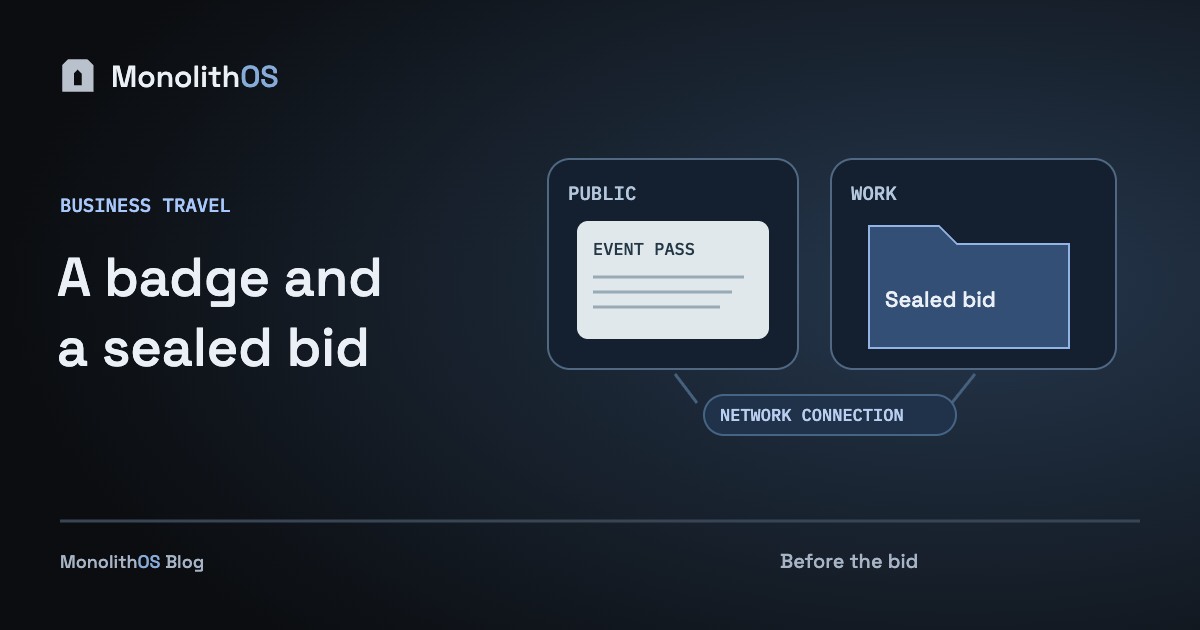
In this illustrative assignment, she uses MonolithOS to keep the conference role in Public and the bid in Work. One Pixel carries the two environments, each with its own accounts, app data and files. The arrangement gives the confidential project a separate local context during a day built around visible professional activity. The value appears in the moments when the phone moves between those roles, especially when other people are looking at the screen.
Competitive intelligence can begin with a small detail
A competitor would learn little from the public presentation. A supplier’s name in a recent document list could be more revealing. So could a conversation preview, a spreadsheet filename or the identity attached to an account. Sensitive business information often appears as context around the central document, and a phone can collect that context across many applications.
The director keeps the bidding identity in Work. Its mailbox, messenger account, pricing files and local notes belong to that environment. Public contains the conference account, registration pass and approved presentation. MonolithOS makes this distinction at the Android user-environment level, with separate application data and locally stored records. The confidential project therefore has a boundary that reaches across its apps. Showing a Public document or finding the event pass stays within Public’s local context, while the project materials remain associated with the private environment in which the director uses them.
The registration desk is the first practical test
At registration, the director opens Public to show the event code. An organiser asks her to check an email confirming the session time. She moves from the event app to the Public mailbox, then opens the approved slide deck. The ordinary workflow stays in the everyday environment. The Work account, its local files and its recent applications have their own place.
MonolithOS uses one lock screen, with the PIN determining which environment opens. Public has no Work user switcher on the lock screen, in Quick Settings or in Settings. Work’s app activity stays outside Public, and its notifications are not forwarded there. These details make the separation useful through a sequence of interactions. The director can use the phone naturally at the desk without first navigating an account list that brings the bid into view. The product gives the public-facing role a complete local workspace of its own.
In the break between sessions, Work becomes the office
A supplier has revised a term, and the director needs to review the effect on pricing. Her Work PIN opens the project environment. The bid mailbox, workbook and private conversation are together where she left them. She can use the same applications as in Public while maintaining different accounts and local histories. The project’s files live in Work’s storage context.
This is where a two-environment phone earns its place in a business day. The director needs meaningful access to the private role, not merely a place to hide an icon. Work has the applications and records required to do the task. After checking the figures, she can return to Public for the next conference session. The two roles remain on one device while their local app data stays separate. MonolithOS turns the change in professional context into a choice of environment, so the director can carry the bid without making it part of every ordinary phone interaction.
The private review between conference sessions
The pricing workbook has already been downloaded. The director needs to read it locally, while the messenger needs a connection to discuss the revised term. New Work apps start with Network and Sensors off. This gives the owner a restricted starting point for those capabilities and allows access to be considered in relation to the job the app performs.
A document viewer can remain without network access for a local review. The connected project app can receive the capability it needs for communication. These controls add a practical dimension to separation, the private environment contains its own tools, and newly installed tools start with restricted defaults in these areas. The product also uses charging-only USB by default on release builds, fitting the ordinary need to charge a handset during travel. For the director, these are understandable operating-system choices around the working environment. They support deliberate access while the project accounts and files remain together in Work.
The director finishes the review and presses Power. Outside an active Work call, that closes Work. Its apps stop, and closure completes once their local files are locked again. Screen timeout and the Close Work control also provide ways to close the private environment. She can subsequently open Public to photograph a public slide or check the next session.
If she is on a Work call, the conversation continues with the screen off. Power does not end it, and Work closes afterward if the phone remains locked. Once Work is closed, its apps stay stopped, with waiting messages arriving when the environment is reopened and the apps reconnect. This gives the bid a private working session that can start and finish during the day. The environment supports the live conversation when needed and returns the project’s local files to the locked state after closure. Public continues to serve the event without forwarding the bid’s alerts.
Responding to a missing business phone
Near the end of the day, the director discovers that her phone is absent from her bag. The last known Work state matters, and so does the ability to act without the handset. MonolithOS’s built-in management and Client Portal provide Remove Work and factory-reset commands. Remove Work targets the private environment. A reset applies to the phone. The owner can request the action appropriate to the device situation.
Execution of a remote command requires the phone to connect. A queued request therefore has a different status from a completed removal. The private environment’s local protection remains relevant during that interval, particularly when Work had already closed with its files locked. These are complementary stages of control over the same workspace. The director used Work for the confidential review, closed it afterward and has an owner-management route if physical control is lost. MonolithOS gives the private business role continuity from daily use through a device-loss decision.
A business phone can carry two different contexts
The public conference role and the confidential bid are both legitimate parts of the director’s work. The distinction is the audience and the information each interaction requires. MonolithOS lets her use Public for visible professional activity and Work for the private project, with separate accounts, local files and application histories. The same organisation applies to photographs, correspondence and downloaded documents.
That is the practical case for a two-world phone in executive and corporate work. The product gives a sensitive project a complete environment on a device that remains useful throughout travel. Its GrapheneOS foundation, signed MonolithOS operating-system updates and owner-management actions support that experience across the device lifecycle. For the director, the immediate benefit is easy to recognise. The event pass can be shown in Public. The bid can be reviewed in Work. Closing the private session locks its local files again. One Pixel supports both roles with a boundary the owner can use throughout the day.