A lost phone with client files and a separate private space
Monolith Technologies FZCO · · 6 min read
A missing phone after the station café
The consultant notices the empty pocket as the train doors close. Ten minutes earlier, she was reading a client’s revised terms in the station café. The phone may still be on the table. It may already be in someone else’s bag. Either way, the concern is more specific than the cost of replacing a Pixel. The device contains a working identity, client conversations, downloaded documents and a record of the project’s recent activity.
In this illustrative loss, the consultant uses MonolithOS and had closed Work before leaving the café. Public contains her everyday apps. Work contains the client account and project files. That arrangement gives the device a defined state at the point of loss, with Work’s apps stopped and its local files locked again. It also gives the owner a choice through the MonolithOS Client Portal, request removal of Work or reset the phone.
The project has a home inside Work
The consultant’s client materials have accumulated over several weeks. There is a mailbox, a messenger account, a document viewer and a handful of downloaded revisions. Any one of them can reveal part of the assignment. A recent-file list can identify the counterparty, while a photograph of meeting notes can disclose terms that have yet to appear in the agreement. Keeping all of that within Work makes the local project a separate environment.
Public remains the consultant’s ordinary phone space. Its mailbox, gallery and application history belong to Public. MonolithOS uses separate Android users for the two environments, so the Work app data and local files have their own context. A person who can browse Public’s apps is browsing the records placed there. The client project lives in Work. This is the value established before the loss occurs, the sensitive role has already been organised into a separate place on the device.
What the last closed session changes
At the café, the consultant finishes the document and presses Power. Outside an active Work call, that closes Work, stopping its apps and locking its local files again. MonolithOS also provides the Close Work control and screen-timeout closure. The completion of closing Work corresponds to its files returning to the locked state. The phone can subsequently open Public while the private environment stays closed.
That state matters because the loss happens between work sessions. The client mailbox is outside an active Work app session, and its local records belong to the closed environment. Messages sent while Work is closed arrive when it is reopened and the app reconnects. MonolithOS therefore gives the consultant a practical boundary she uses repeatedly during the day. Reading the document, closing Work and returning to ordinary phone use form a normal workflow. The device already has a private-session boundary before the owner needs to decide what to do about the missing handset.
A separate environment limits ordinary browsing
Imagine the phone is found while Public is available. Public contains the consultant’s travel and personal accounts. Its gallery shows Public photographs, and its recent apps omit Work activity. MonolithOS keeps the Work user switcher out of Public’s lock screen, Quick Settings and Settings. The confidential project is outside that ordinary browsing path.
This gives separation a clear purpose even when a phone has several possible states. Work has its own access and local records, and Public presents its own environment. The same application can be used in both with different accounts. An ordinary mailbox opened in Public therefore stays with the everyday identity. These are properties of the environment boundary. They make the product valuable without depending on a claim about the result of every possible examination. The consultant can describe the state she established on the device and the separation she uses for client work, which is more concrete than simply saying the phone has security features.
The Client Portal gives the owner a next action
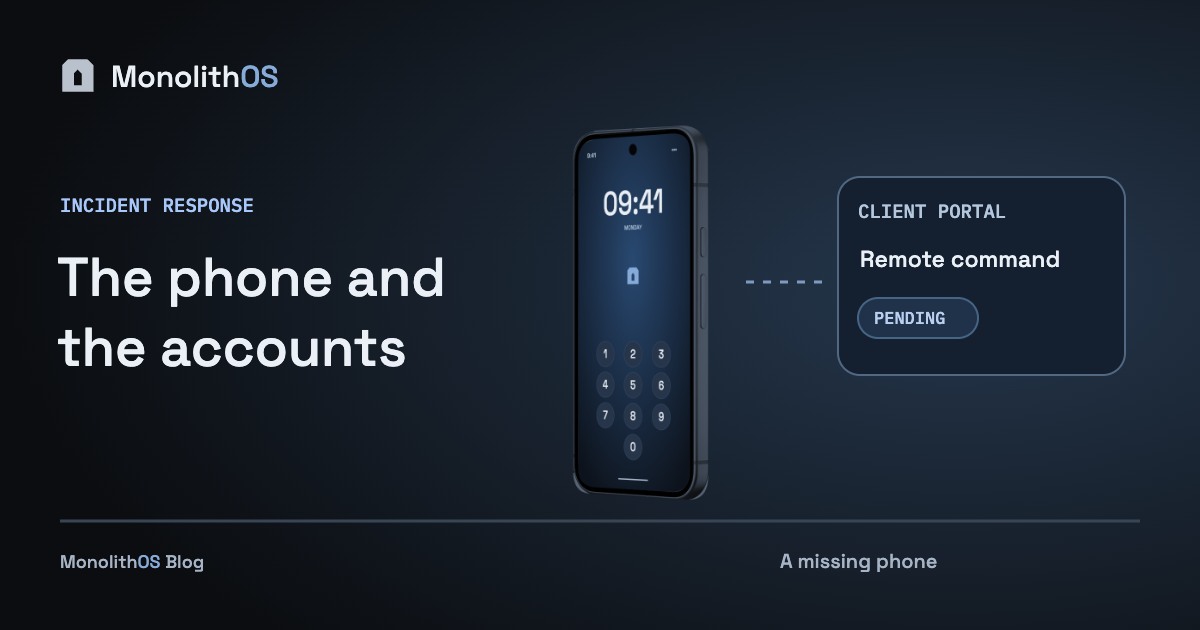
The consultant opens the MonolithOS Client Portal from another device. MonolithOS’s own built-in management provides two relevant actions, Remove Work and factory reset. Remove Work targets the private environment and its local contents. A factory reset applies to the phone. The scope of the action allows the owner to make a deliberate decision about how much of the device to remove.
This is where management and the two-environment design meet. The project already has a defined home in Work, so a removal command can target that private environment. The everyday and private roles have remained separate throughout ordinary use, and the management action follows that organisation. MonolithOS management belongs to the operating system’s own product experience and Client Portal. MonolithMDM is a separate product for GrapheneOS users. For this lost-phone scenario, the relevant capability is the MonolithOS owner’s ability to request removal or a reset through the portal.
A command has a journey to the phone
The owner submits Remove Work. Whether it executes immediately depends on the phone connecting to receive it. A device that is offline cannot receive a new remote instruction at that moment. The command remains pending until the required connection is available. Submitting the request and establishing that the action completed are separate stages, and the distinction is important when describing the state of the handset.
Local protection is already relevant during that interval. In this scenario, Work was closed before the loss, with its apps stopped and local files locked. The remote command adds an owner-requested deletion action when the device can receive it. It is useful to understand both stages together because they address different moments. Session closure is part of how the consultant uses the phone. Management gives her an action after physical control has been lost. MonolithOS combines them around the same private environment, with an understandable scope for each.
What removing Work means for the client files
The downloaded agreement, local notes and app data inside Work belong to the environment targeted by Remove Work. Removal concerns those device-held contents. The client’s mailbox service and the copy of the agreement already sent to another participant remain separate locations. Following the document through those locations helps explain the effect of the device action accurately.
The consultant can distinguish the file stored on the missing phone from the project’s continuing account history. MonolithOS supplies local isolation, closure and removal for the handset. Those capabilities give the private environment an operational lifecycle, from a working session to a closed session to deletion when requested. That lifecycle is particularly valuable for professionals whose phone holds a small but sensitive part of a much larger project. They can keep that local material in Work and retain owner control over the environment, including when the next action has to be initiated through the Client Portal.
Prepare the project workspace before a phone goes missing
The consultant’s loss illustrates why two environments are useful before an incident. Her client identity had a place in Work. Closing that environment was part of her normal routine. When the phone disappeared, the relevant files were already associated with a separate user environment, and the owner had a management route to request their local removal. Each step followed the same architecture.
That continuity is the reason to consider MonolithOS for confidential mobile work. The product combines an everyday phone with a private environment that has separate apps, accounts and files, discreet access, a defined closing state and management actions. It lets a professional use one Pixel while maintaining a distinct local space for client activity. The value extends across the full working day, from opening a project in the morning to closing it after a meeting and deciding what should happen if the device goes missing. The private role stays a deliberate part of the operating system experience.