Before an app gets access: rethinking security on a work phone
Monolith Technologies FZCO · · 7 min read
Before a tender, an app review
An application can be useful, legitimate and still receive more access than its job requires. Work phone app permissions deserve attention before a confidential document is opened or a professional account is connected. In MonolithOS, separate Public and Work environments establish where professional activity belongs. Application access controls add another decision within Work, covering the connectivity and sensor access each tool receives.
Consider an illustrative software review at a small engineering firm. Its operations lead is preparing a tender that includes site photographs, supplier estimates and drawings. She wants a lightweight document viewer for checking attachments on her Pixel, a calculator for quantities and a communication tool for the project team. All three belong in Work. Their different jobs will determine the access she grants each one.
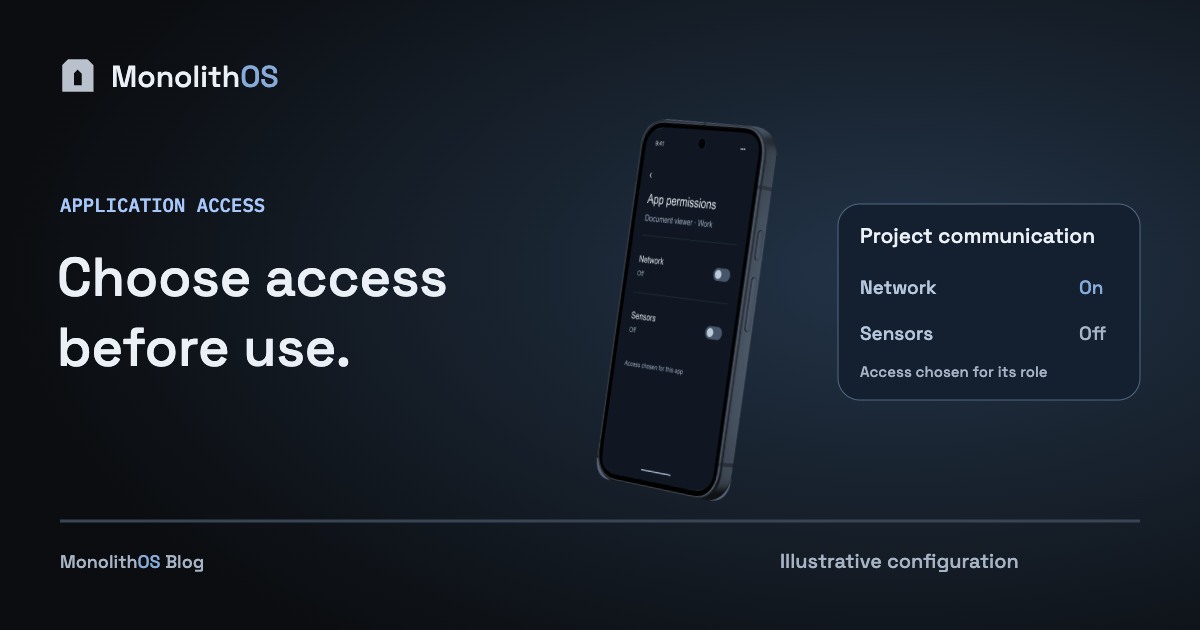
A document viewer has a particular job
The tender drawing arrives through the project mailbox. The operations lead saves it in Work and selects it for the viewer to open. That handoff supplies the application with information it needs to perform a task. Even if the viewer has no broad library access, it can read the document she deliberately gives it. Choosing a file is therefore part of the access decision.
Connectivity is a separate question. A viewer that renders local files may be useful with Network disabled. Another may require an account, a licence check or server-side processing before it opens anything. The application’s actual behaviour determines whether the restricted configuration supports the intended workflow. Testing with a sample drawing gives the lead an answer before she introduces tender material.
What Network control changes in Work
GrapheneOS provides user control over an application’s Network permission, extending the access model of the Android foundation. MonolithOS uses that capability and adds a restrictive Work default for installations that proceed without the interactive install dialog. With Work’s Network auto-grant setting left off, those new applications receive no automatic Network grant. An owner can subsequently allow Network for an application that needs it.
During an interactive installation, the Network checkbox starts selected. Leaving it selected grants Network through that installation choice. To install the local viewer with Network denied, the operations lead clears it. This explicit selection applies independently of the automatic-grant default.
Work’s automatic-grant setting is configurable. An owner who enables it changes the starting policy for relevant new installations. Existing applications also need their own review, because a default for a new installation says little about an application whose access has already been chosen. For the tender viewer, the meaningful result is its current Network state in Work.
Sensors covers another kind of access
A professional phone contains sensors that support orientation, movement and environmental measurements. Applications can have legitimate uses for that data, from rotating a drawing to measuring movement during a site task. The Sensors control inherited from GrapheneOS makes this access a user decision. Its scope includes sensor data such as movement and orientation. Camera, microphone and location have their own permission controls and should be evaluated individually.
MonolithOS initializes Work’s setting for automatically granting Sensors to new applications to off when that setting has no existing value. Once the owner has made a choice, the setup logic preserves it. Newly installed Work applications therefore start with the restrictive Sensors policy under that initial configuration, while an owner’s changed settings can produce a different result.
The quantity calculator gives the operations lead a straightforward example. She needs arithmetic and saved calculations. She can first evaluate it with Sensors off. If a later site-measurement tool needs movement data for a particular feature, she can assess that requirement independently. The usefulness of the second application supplies no reason to give the calculator the same access.
A permission dialog shows one part of the picture
Android’s application sandbox, file access mechanisms and resource permissions each govern a particular boundary. A camera request concerns taking pictures. A microphone request concerns audio capture. A document selected through a file picker gives the receiving application access to that item. Network and Sensors controls add further choices within the GrapheneOS-based permission model used by MonolithOS.
It helps to follow the tender drawing through this sequence. Work holds the file in its own environment. The operations lead supplies a copy to the viewer. The viewer can process the content it receives. Its Network state governs its own network access, while any deliberate sharing or export creates another handoff to assess. No single toggle describes every possible route by which information can move.
The practical question becomes which access supports the task now. The lead can keep a local viewer’s Network disabled while granting a communication tool the connection needed for project messages. She can allow a particular file without treating that as permission to browse every project record. These are separate, understandable decisions.
Communication tools need a different configuration
The project team’s communication application cannot exchange messages while its Network access is denied. The operations lead enables the connection because communication is the tool’s purpose. She then considers the account, the information shared through it and any further permissions requested by its features. Receiving text messages, making a voice call and attaching a site photograph involve different resources.
An application may ask for access when a feature is first used. That moment gives the lead context for deciding. A request associated with recording a voice message has an identifiable purpose. A sensor-dependent feature can be evaluated on its own merits. Broadly enabling controls to make an unfamiliar warning disappear gives her less understanding of the resulting configuration.
In MonolithOS, the owner can adapt each application’s access to its role, keeping the communication tool connected and the local viewer offline.
Separation establishes the workspace, access controls shape it
Public and Work are separate Android user environments with their own application data, accounts and local files. The operations lead keeps everyday services in Public and tender software in Work. Installing a viewer in each creates distinct application contexts. The Public viewer has its own local records, while the Work viewer handles the documents supplied within Work.
Within that workspace, the viewer, calculator and communication tool each retain their own access settings. Public/Work isolation establishes the environment boundary. Permissions, Network and Sensors controls shape application access inside it.
Account selection matters alongside those controls. Signing both environments into the same cloud account can make the service’s content available through each authenticated session. For the tender, the lead uses the project account in Work and evaluates which applications need it. Keeping those choices explicit makes local separation useful throughout the workflow.
Least privilege as a working habit
The principle of least privilege gives software the access required for its purpose. On a phone, that principle becomes practical through repeated, small decisions. The operations lead begins with sample files, observes which features work and enables additional access when the intended task provides a reason. The process produces a usable configuration she can explain to a colleague.
Later, the firm adds a mobile expense tool. It needs to submit receipts, so Network has a clear purpose. Capturing a receipt may justify camera access. Reading unrelated project documents has a different justification to establish. Reviewing these requirements as they arise lets the firm extend its software without assuming that every business application needs the same privileges.
The same habit applies when an application adds features or changes how the firm uses it. An offline viewer may become a collaboration service after someone signs in. A calculator may acquire an account-based history feature. Those changes deserve a fresh access decision, particularly before confidential information enters the new workflow.
Decide before the confidential file arrives
By final review, the tender has a defined mobile workflow. The viewer handles selected local drawings with Network off. The calculator works with Sensors off. The communication tool connects to the project account with the permissions its features require. Public continues to hold the operations lead’s everyday activity.
MonolithOS combines separate environments with choices inside each application’s working context. Work-specific defaults create an early opportunity to restrict access, while installer selections and owner settings determine the configuration actually used. The result is a professional workspace whose tools have access chosen for their tasks.
Explore Public and Work, then join MonolithOS early access to discuss your own workflow. Decide where professional activity belongs and what access each Work application receives before the confidential file arrives.