Why we don’t call MonolithOS “undetectable”
Monolith Technologies FZCO · · 8 min read
The questions behind a phone purchase
MonolithOS is designed to keep everyday access separate from private work. Its protections become meaningful when we explain which information they protect, how access is controlled and what changes when a Work session closes. Those details give someone choosing a security-focused phone a basis for judging the product. An absolute promise about every possible observer or attacker offers much less to evaluate.
Consider an illustrative purchasing decision. A small architecture practice is choosing phones for directors who carry confidential project material between client sites. One director asks a reasonable question during a demonstration. If she opens the phone to show an approved drawing, what else becomes available? Another asks whether the same answer holds after someone takes physical possession of the handset. Both questions concern security, but the access involved is different. A useful demonstration needs to address each one precisely.
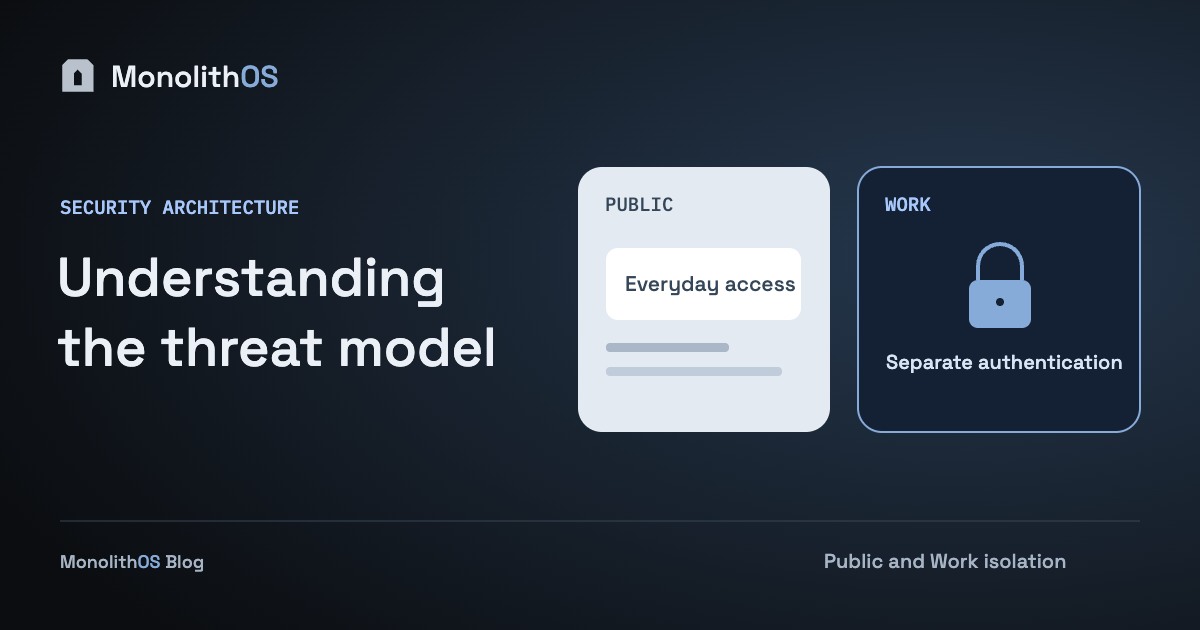
This is the approach we take to the MonolithOS threat model. The starting point is a practical purpose, one phone with separate Public and Work environments. From there, we can discuss the interface, application data, authentication, storage and ongoing maintenance in terms an owner can actually use.
Begin with the information you need to separate
For the practice director, the sensitive material includes unfinished drawings, commercial correspondence and the account used to exchange them. Public holds the approved presentation and the travel tools she uses between sites. Work carries the private project identity. The arrangement gives the demonstration a concrete question to answer. Opening the Public document viewer should expose the documents kept in Public.
MonolithOS uses separate Android user environments for these roles. Each has its own application installations, account sessions and local files. The drawing downloaded in Work belongs to that environment’s storage context. Installing the same viewer in Public gives the director a separate instance with its own local records. She can show a presentation without bringing the private project’s recent-document list into the same application session.
A threat model describes the information at stake, the access someone might obtain and the assumptions a protection relies on. Here, the first assumption is that the director has placed the confidential account and its files in Work. The separation has a purpose that can be checked against an ordinary working day.
What would “undetectable” actually need to mean?
Someone looking at an unlocked Public screen has one kind of access. An examiner analysing the handset with specialised equipment has another. A service holding account records has a third. A statement about what appears in the user interface addresses a particular observation within that larger picture.
MonolithOS keeps the Work user selector out of Public’s lock screen, Quick Settings and Settings. Work notifications and recent activity stay outside Public’s everyday view. For the director showing an approved drawing, these choices matter. Moving through the Public interface stays within the environment she opened, with its own applications and accounts.
The evidence for that interface behaviour has a defined scope. Establishing what a specialist examination could discover requires separate analysis of the device, software version, access conditions and examination method. Calling all of these situations the same thing would obscure the actual benefit. We describe the Public experience precisely so owners can understand what the visible interface does and decide where that protection fits their needs.
Closing Work changes its storage state
The director finishes reviewing an unfinished design in Work before the client arrives. Successful Work closure stops the environment’s applications and locks its credential-encrypted storage. Public can then be used independently. Reopening the protected Work environment requires its own authentication.
Android distinguishes credential-encrypted storage, available after the relevant user authenticates, from device-encrypted storage used for functions that need to operate before that authentication. BFU means Before First Unlock. AFU means After First Unlock. In this context, describing closed Work as BFU refers to the locked state of that Work user’s credential-encrypted data. Public and device-level data retain their own security states.
That distinction explains why a stopped app alone gives an incomplete account of the feature. The relevant question also concerns access to the protected storage behind the app. Ordinary screen locking can leave a user’s credential-encrypted storage available after authentication. MonolithOS’s Work-closing lifecycle brings that storage boundary into the private session’s ending. A call continuing with the screen off remains an active Work session until closure takes place.
Security depends on the device and software
A promise that nobody on earth can compromise a phone stretches beyond the conditions of any finite test. Software evolves, new vulnerabilities are discovered and the resources available to a particular attacker vary. Meaningful assessment identifies the software version, device state, access available and technique being tested. A result then has an understandable relationship to the situation it represents.
MonolithOS builds on GrapheneOS and the Android security architecture. Separate users and file-based encryption belong to that foundation. MonolithOS adds its Public and Work access experience, closure behaviour and privacy controls around those environments. Giving the underlying work fair attribution helps explain how the product fits together.
The same discipline applies to updates. Monolith Updater is part of the operating-system maintenance experience. Release authenticity, installation and the security properties of the installed software each deserve their own evidence. A confident product description can explain these mechanisms while leaving room for the continued engineering and validation that security software requires.
Follow the account as well as the local file
During the demonstration, the director opens a project mailbox in Work. Its locally downloaded attachments and application history belong to Work. If she also signs the Public mail app into that same mailbox, the service can supply its contents to Public through the account she has chosen to use there. The owner’s account choices therefore participate in the separation.
This becomes important when someone asks whether closing Work protects a particular document. The local copy in Work has a storage boundary. A copy already sent to the client has a recipient. A document synchronised to a service has an account and a provider holding it. Understanding these locations gives the director a more complete picture of where the project exists.
MonolithOS makes distinct local identities practical on one Pixel. Using separate project accounts makes that architecture useful across the director’s applications. The question to ask is which environment and account can reach the information at each point in the workflow.
Charging-only USB and a locked bootloader
In the MonolithOS release configuration, USB is charging-only. ADB is completely blocked, Developer Options are disabled and the bootloader is locked. A cable connection provides power without exposing USB file transfer or an ADB debugging session. These settings keep everyday charging separate from access to the operating system’s development interfaces.
For the director moving between client sites, this adds a practical boundary around the physical handset. Charging the phone leaves her project accounts in their own environment. The locked bootloader supports the verified boot boundary, while the USB and debugging restrictions govern the access available through those interfaces. Together with Public and Work isolation, these controls address distinct parts of how the phone is used and accessed.
Network, Sensors and the Work session
Newly installed Work applications begin with restrictive Network and Sensors defaults, subject to the owner’s settings and installation choices. This gives the director a decision to make when adding a project tool. She can consider the access it needs before using it with confidential material. Network access, sensor access and permissions for features such as the camera have their own meanings.
Work also has a session lifecycle. While closed, its applications are stopped. Messages reach those applications after Work opens and they reconnect. A call already in progress can continue with the screen off. These details help an owner plan when the private environment is available and understand the difference between an active conversation and a closed workspace.
Each behaviour contributes to a larger product. Account separation addresses identity. Application defaults address access. Closure addresses the private environment’s active state and protected storage. Describing the job of each control makes the combined architecture easier to evaluate.
A different standard of customer care
Personal attention supports the practical use of MonolithOS. Our approach combines expert onboarding, direct communication and ongoing assistance, helping owners understand Public and Work, configure their environments and use the protections relevant to their needs. For the director, that means understanding where project material belongs, when it becomes accessible and what changes when Work closes, with guidance that continues as her requirements evolve.
Choose a phone by the questions it can answer
At the end of the demonstration, the practice has a more useful set of questions than whether a phone can defeat every conceivable attempt to examine it. Which environment opens? Which account supplies the document? What remains accessible when Work closes? What evidence supports the behaviour in the release being evaluated?
These questions lead directly to the value MonolithOS is built to provide. Public remains an everyday phone environment. Work gives private activity its own applications, accounts, authentication and local storage context. The owner can understand the boundary and use it throughout a working day.
Our public architecture guides and related articles explain that experience in more detail. If those boundaries match the way you need to use a phone, early access is a place to begin the conversation. A security product earns confidence through precise claims, clear explanations and evidence that owners can put to use.