When a phone is examined, Work’s BFU state matters
Monolith Technologies FZCO · · 7 min read
Following a settlement draft through the phone
A consultant finishes reviewing a settlement draft on her Pixel before a meeting. She closes Work, opens Public and checks the room number in her everyday calendar. Later, the phone is taken for examination. The draft remains on the handset, but Work’s credential-encrypted storage has returned to its locked, Before First Unlock state. Public can still be used. Reopening the protected project requires Work’s own authentication.
This illustrative case follows the document through MonolithOS to explain why that storage state matters. Public and Work operate as separate Android user environments, each with its own application data, accounts and storage context. Closing Work returns its protected storage to BFU, giving the private environment a deliberate endpoint after a sensitive task. Understanding that boundary helps explain what the consultant has protected on the phone and what an ordinary Public unlock makes available.
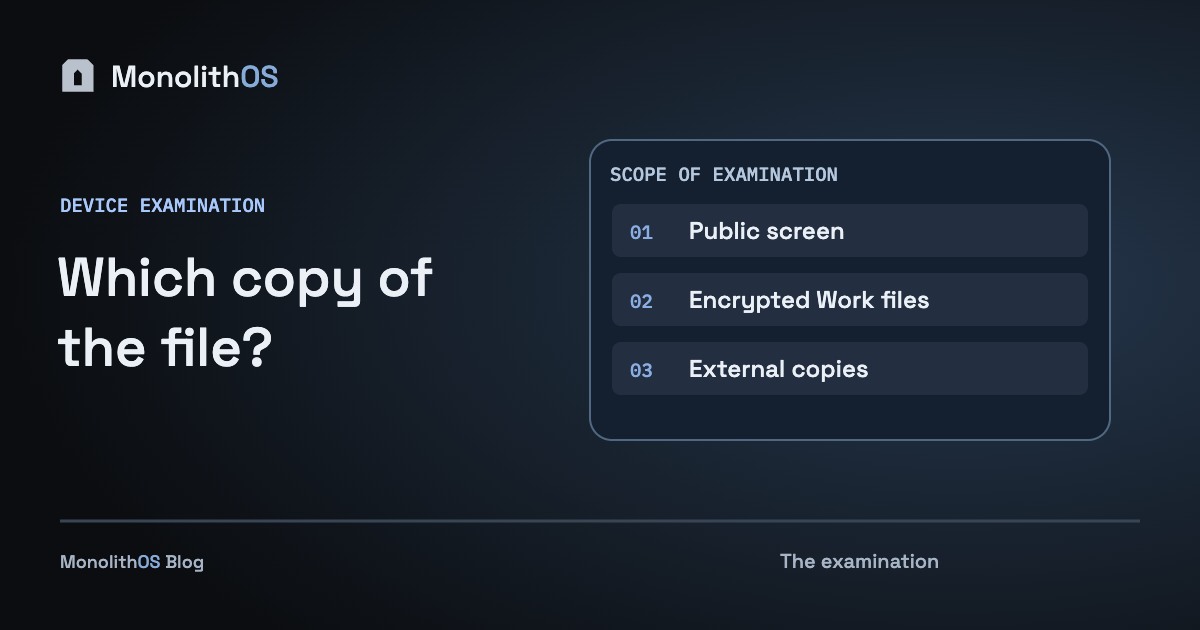
The visible screen is one part of the evidence
Someone opening Public sees Public’s applications, accounts, photographs and recent activity. The consultant’s settlement account lives in Work. It is absent from Public’s account menus because it belongs to a separate app environment. Public’s gallery shows its own photographs, and its recent applications do not include the Work document viewer. MonolithOS also keeps a Work user switcher out of Public’s lock screen, Quick Settings and Settings.
These features make an ordinary browse through Public stay within Public’s records. They address a real source of exposure, sensitive context appearing while someone navigates a different part of the phone. The distinction matters even before considering storage encryption. A settlement filename, client contact or recent attachment can disclose a project through the interface alone. MonolithOS gives the consultant a defined Public environment for everyday access and a separate Work environment for the project, so ordinary navigation respects the organisation of those roles.
The app boundary sits below the account menu
Public and Work are separate Android user environments. Each has its own application data, accounts and locally stored files. An app installed in both spaces can therefore maintain different sign-ins and different local records. The Work document viewer opens the Work file. The Public installation operates on Public data. Installing the same application in both environments preserves this separation at the operating-system user boundary.
For the consultant, that means the settlement project can remain coherent inside Work. The mailbox receiving the draft, the viewer reading it and the messaging identity discussing it all operate in the same private environment. Public can retain her ordinary mailbox and travel account. This architecture gives substance to the phrase private space. The product separates the records and app sessions that make up a digital role. It also makes intentional account choices important, since a shared cloud account can distribute its own records wherever its owner signs in.
BFU and AFU describe access to protected storage
Android distinguishes Credential Encrypted storage, usually shortened to CE, from Device Encrypted storage that supports functions available before a user authenticates. CE holds protected user data whose availability depends on that user’s authentication and storage state. Public and Work each have their own user context within this model.
Before First Unlock, or BFU, describes the state in which a user’s CE storage is locked and its protected contents are unavailable to applications. After First Unlock, or AFU, describes the state after authentication has made that storage available. An ordinary screen lock can leave a user in AFU, with CE storage still available to the running environment. Turning off a display alone therefore tells an observer little about the underlying storage state.
MonolithOS brings this distinction into the lifecycle of Work. When its environment-closing mechanism completes, Work returns to BFU for its CE storage. Its applications have stopped and its protected local data is locked until Work is authenticated again. Here, Work’s BFU state describes that particular user environment. Public and device-level data retain their own security states on the same handset.
Closing Work gives the private task a storage boundary
For the consultant, finishing the draft has a concrete consequence. Once Work has closed, the document’s protected local storage is back in BFU. A stopped document viewer alone would say little about whether another process could still access the user’s unlocked storage. MonolithOS ties completed closure to locked Work files, giving the end of the task a storage-level meaning.
Work can close through the Close Work control, the Power button or screen timeout. An active call is an important exception to interpreting a dark screen. A Work call in any calling app continues with the screen off, and Power never ends that call. Work closes after the call ends if the phone stays locked. The BFU description applies once closure has completed.
After closure, Work apps remain stopped. Messages sent to a Work account arrive when the owner authenticates into Work again and the apps reconnect. The same lifecycle that locks the project’s CE files also governs when its applications resume. It lets the consultant finish using a sensitive identity and later return to it through a fresh Work unlock.
Public stays useful while Work remains in BFU
The consultant can use Public to read the meeting calendar, display a travel booking or make an everyday call while Work’s protected storage stays locked. Authenticating into Public makes Public available. Work requires its own authentication before its CE-protected files and application environment become available again. The owner can therefore keep using the phone without reopening the confidential project.
That independence matters during a temporary handover or an inspection through the ordinary interface. Public’s document viewer operates on Public’s files. Its gallery and account menus belong to Public. The settlement draft stays within the separate Work user, whose protected storage remains in BFU. The visible separation and the locked CE state address different parts of the same situation, controlling what ordinary navigation presents and whether Work’s protected local data is available to applications.
Specialist forensic examination raises additional questions tied to a particular device, software build and extraction method. BFU describes an important storage state within MonolithOS’s security architecture. A claim about resistance to a particular forensic technique would require evidence from that technique and configuration. Public data, device-level records and copies held by services each have their own scope of protection.
The life of the settlement draft
The consultant’s draft arrives in the Work mailbox and is downloaded into Work’s protected local storage. After authenticating into Work, she reads it with the Work document viewer. During that session, Work is in AFU and its CE-protected data is available within the unlocked environment. When she closes Work, the local draft remains stored there, with its CE storage returned to BFU.
Later, she enters Public to find the room number. That action leaves the Work draft locked. When she needs to review a proposed amendment, she authenticates into Work again, making its protected storage available for the next private session. This sequence shows the practical benefit of the architecture through an ordinary working day. Sensitive material has a separate home, a defined period of availability and an authentication requirement when the owner returns. Copies already sent to another participant or stored by a cloud account remain in those locations under their own access rules.
A private environment with a defined lifecycle
Closing Work preserves its contents in locked CE storage so the owner can return through authentication. Removing Work deletes the local environment. MonolithOS offers local removal, while its built-in management and Client Portal provide remote Remove Work and factory-reset commands that execute when the device connects. The owner can choose the action appropriate to retaining a private project or removing it from the handset.
For the consultant, the daily advantage begins with the completed close. Her everyday phone remains useful while her confidential environment has returned to BFU. Work’s accounts, apps and protected files become available again when she authenticates into Work. Built on GrapheneOS and maintained through signed MonolithOS updates, this architecture makes a separate private identity practical on one Pixel. It gives sensitive work a deliberate opening, a protected closed state and an owner-controlled lifecycle.