Phone privacy at the border when you carry client files
Monolith Technologies FZCO · · 7 min read
A client visit through an arrival checkpoint
The return booking is in the airline app. The hotel address is in a message. A draft agreement, reviewed an hour earlier in the departure lounge, is in a different mailbox. For a lawyer travelling to a client meeting, all three belong on the same phone for perfectly practical reasons. At an arrival checkpoint, however, someone asks her to unlock it and show the details of her visit. The distinction between a travel document and a client document suddenly matters at the level of the screen.
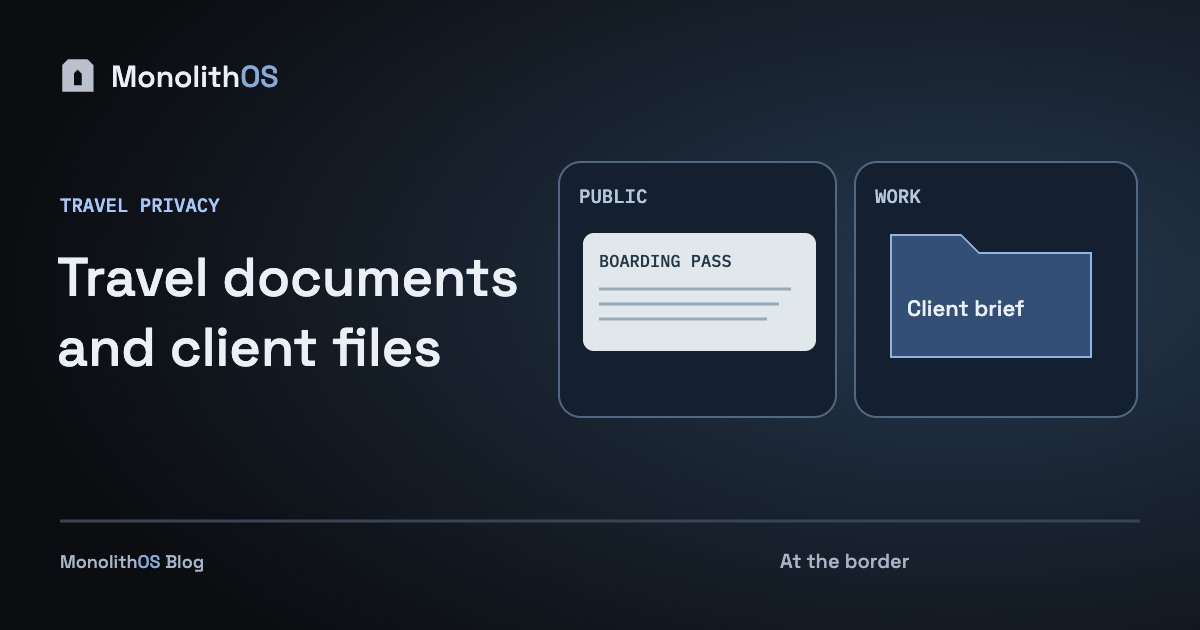
In this illustrative journey, the lawyer uses MonolithOS. Public carries the apps she needs to move through the day. Work holds the client identity and its files. Her Public PIN opens the travel environment from the same lock screen she uses for Work. The phone can show the return booking while the client workspace stays closed. That everyday interaction is the starting point for understanding what two separate environments contribute to travel privacy.
A travel phone carries several versions of its owner
The first version is visible throughout the journey. It books the flight, finds the hotel, presents the ticket and contacts the driver. The second may represent a company, a client or a confidential assignment. It reads the draft settlement, receives the negotiation update and recognises the names of people involved. When both roles share one app environment, ordinary navigation can bring them together. A recent document, an inbox preview or a gallery thumbnail can place sensitive context beside the booking someone actually asked to see.
MonolithOS gives those roles separate environments on one Pixel. The lawyer installs her travel apps in Public and uses Work for the client account, with separate application data and local files. This makes the separation useful across the journey. Showing a booking, finding a map or opening a personal photograph in Public stays within the material she keeps there. The client workspace has its own apps, account sessions and gallery.
At the checkpoint, the PIN opens a defined space
The officer asks for the return flight. The lawyer enters her Public PIN, opens the airline app and finds the booking. Public has no Work user switcher on the lock screen, in Quick Settings or in Settings. Work’s recent applications and usage history are kept out of Public, and Work notifications are not forwarded there. The ordinary interface presents the everyday environment she chose to open.
There is a practical difference between this interaction and moving among accounts inside a shared application. An account menu can list the client identity even when the personal inbox is selected. In MonolithOS, the Work app and its account data belong to the separate Work user environment. The Public copy of the app opens the Public account. The design makes the boundary consistent as the lawyer moves from the booking to her calendar or gallery. Each of those Public apps continues to operate within Public’s own data.
The client file has a separate storage context
Work is built on Android’s separate-user architecture and credential-encrypted storage, within MonolithOS’s GrapheneOS foundation. Application data and locally stored documents belong to the environment in which they were created or downloaded. Public’s document viewer does not gain access to the client brief just because the lawyer has opened Public. The same applies to a client photograph kept in the Work gallery or a conversation stored in a Work-only messaging account.
That architecture gives the lawyer a useful way to arrange the trip. The draft she reviewed before departure stays with the client identity that received it. Her travel documents stay with the everyday identity that needs them. Separate environments support separate accounts, which is important when the same application is installed twice. If she intentionally signs both installations into the same cloud account, the service can make that account’s contents available in both. The value comes from using the environment boundary to maintain the separation she needs.
A closed Work session travels differently
After finishing the draft in the lounge, the lawyer closes Work. Work’s apps stop, and closure finishes once their local files are locked again. Pressing Power or allowing the screen to time out can close Work, alongside the Close Work control. She can then open Public to check the departure gate while the client environment remains closed.
This changes more than the screen’s appearance. Work is outside its active app session, with local files locked and apps stopped. Messages sent to its accounts wait until Work is next opened and the apps reconnect. That behavior fits a journey with distinct periods of availability. The lawyer can review the client materials in Work, close the environment for the next stage of travel, and return to it when she needs to work again. An active Work call continues with the screen off, including when Power is pressed. If the phone stays locked, Work closes after the call ends.
Travel mode shortens the locked interval
Before the journey, the lawyer can enable Travel mode in Work. It sets a one-hour automatic restart timeout and charging-only USB-C, preserving any shorter restart interval or stricter USB setting she has already chosen. The control lives in Work. Turning it off restores the settings it replaced, unless she has changed them in the meantime.
The restart follows a continuous locked interval. After the phone has remained locked for the configured hour, it restarts. Unlocking the phone interrupts that interval. Following the restart, both Public and Work require their own first authentication before their credential-encrypted storage becomes available. Opening Public unlocks Public’s protected storage, while Work remains locked until its own authentication. This gives the whole phone a return to the before-first-unlock state after an extended locked period, alongside the separate Work-closing mechanism.
Outside Travel mode, MonolithOS’s default automatic restart interval is eight hours locked. Bluetooth also switches off by default after ten minutes without a connection. For the lawyer moving between the lounge, flight and arrival hall, these settings give unattended periods a defined endpoint while allowing ordinary use between them.
What discretion and removal mean on the journey
In this journey, MonolithOS helps the lawyer present the environment relevant to the interaction. Public can show her ticket and ordinary travel apps without presenting the client account in an account list or forwarding its notifications. Work remains a separate local environment, accessible through its own PIN from the common lock screen. Those are concrete product behaviors that make a two-world phone useful during travel.
A device examination can ask a different technical question from browsing an unlocked Public screen. This article describes the environment boundary and the ordinary interface, without assigning a result to forensic equipment or a legal power to a feature. That precision keeps the travel benefit clear. The lawyer has a phone organised around the roles she actually carries, with a private client environment that closes and locks its local files. Opening the travel environment gives the person viewing it access to that environment’s material. MonolithOS makes this scope part of the operating system experience.
MonolithOS includes local controls to remove Work, including a Duress PIN option and a power-menu action. The owner can also reset the phone. These choices concern the material held on the device. A closed environment remains available for a later session, while removing Work deletes the private environment from the handset. Both have practical uses, and the difference should be understood before either is needed.
The MonolithOS Client Portal provides Remove Work and factory-reset commands through the product’s built-in management. If a phone is lost during the trip, the owner has a route to request a device action remotely. Execution requires the phone to connect, so a queued request remains distinct from a completed action. For a travelling professional, that gives the product continuity from normal use to device recovery decisions. Local separation, session closure and managed removal address different stages of control over the same phone.
From the arrival hall to the client meeting
Later that day, the lawyer opens Work at the client’s office. The draft agreement, project correspondence and account history are together in the environment where she left them. Public still holds her return booking and the hotel address. She has carried one Pixel through the whole journey, while the two digital roles have remained separate at the app, account and local-file level.
This is the practical case for MonolithOS as a travel privacy operating system. The product gives a professional a way to carry ordinary travel life and sensitive work together with a meaningful boundary between them. The benefit is visible in small interactions, the booking shown at a checkpoint, the gallery opened over dinner, the private session closed after reviewing a document. Each uses the same architecture. Public stays useful for everyday access, Work provides a separate place for confidential activity, and the owner decides which environment opens.