Inside a hardened Android phone built for two digital lives
Monolith Technologies FZCO · · 6 min read
A field engineer’s working day
A field engineer arrives at a client site carrying one Pixel. Her personal life is on it, along with inspection records for an industrial project. The client wants a photograph, a short report and a conversation about a fault that has delayed production. Over the next hour she will use the camera, a document viewer and a messaging account. The security question reaches beyond any single application. Where will those records live, which identity will send them, and what will remain available when she finishes?
In this illustrative assignment, the engineer uses MonolithOS. Public is her everyday phone. Work is the project environment, with its own accounts, application data and files. The operating system builds on GrapheneOS, then gives that hardened foundation a particular owner experience, two separate digital worlds on the same device. Understanding the product means looking at the system foundation, the environment boundary and the way a person actually works.
Start with the operating-system foundation
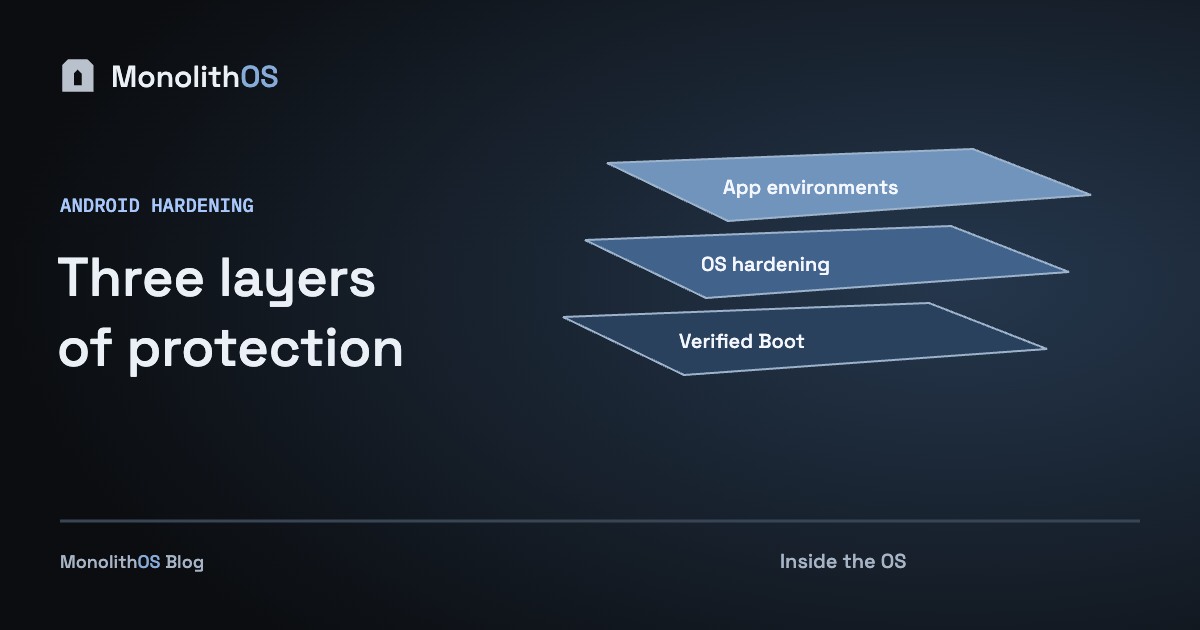
MonolithOS is based on GrapheneOS. That foundation includes operating-system protections such as verified boot, hardware-backed keys and a hardened memory allocator. These address different parts of the system’s security, including software integrity, key protection and memory safety. The supported Pixel hardware gives the operating system a platform on which to apply those protections.
For the engineer, this is the foundation underneath the work she sees. Her inspection report depends on a device running the intended system software, and her locally protected files depend on the operating system and hardware managing their security state. MonolithOS carries this foundation into a product organised around Public and Work. A reader choosing a hardened Android operating system should be able to understand both layers, the base protections the project builds upon and the particular environment experience it adds. MonolithOS’s two-world design gives those protections a daily purpose for someone using the same handset for personal activity and confidential professional work.
Two users give the project its own app environment
Public and Work use separate Android user environments. The inspection account, report drafts and locally saved photographs in Work have their own app-data context. Public’s gallery contains Public photographs. The same messaging application can run in both spaces with different accounts and local histories. This gives the engineer a project identity that can stay together across several apps.
A single application’s account selector would leave much of the surrounding phone shared. MonolithOS makes the environment itself separate, including its applications, accounts and local files. When the engineer finishes the site work and opens Public, the project’s recent applications and usage history stay out of Public. Her everyday environment can continue serving its own purpose. This matters for a working phone because sensitive context often sits between apps, a photograph associated with a document, a contact associated with a conversation, or a filename associated with the client. The environment boundary keeps that local context with the project.
New Work apps begin with restricted defaults
The engineer installs a viewer for the inspection documents in Work. New Work apps start with Network and Sensors off. Those defaults make access to those capabilities a deliberate choice within the private environment. A viewer used for downloaded files can remain without network access, while an application that needs to send the report can be given the connectivity required for that task.
Network and Sensors are specific controls. Their value comes from how they fit the job the app is meant to perform. The engineer can keep the project’s tools in Work and decide which of them needs those capabilities. This complements the separation of accounts and files, because the private environment also starts new applications with restricted access in these areas. It gives the owner a practical default for building a small professional workspace on the device. MonolithOS places this decision close to the moment an app joins Work, where the relationship between the tool and the task is easiest to understand.
Moving between a working environment and a closed session
The engineer uses one lock screen for both environments. Her PIN determines which one opens. In Public, MonolithOS keeps the Work user switcher out of the lock screen, Quick Settings and Settings. Work’s notifications remain in Work, and its recent activity stays outside Public. The everyday environment presents its own apps and accounts without asking the engineer to navigate past the project identity each time she uses her phone.
That experience gives the architecture a usable form. At lunch she can open Public to check an ordinary message. Back on site she can open Work and continue with the inspection. The benefit is present in each transition, because the separate roles have their own local context. MonolithOS is designed around this movement between complete environments. The user sees a familiar phone in either space, with the account and application data appropriate to that environment. This makes compartmentalisation a normal part of using one handset.
After sending the report, the engineer closes Work. Its applications stop, and closure completes once their local files are locked again. MonolithOS supports closure through the Close Work control, the Power button and screen timeout. The private environment can remain closed while she returns to Public for the rest of the day.
An active call in a Work calling app continues with the screen off. Power does not end that call, and Work closes afterward if the phone remains locked. This makes the session model fit actual work, where a conversation may continue after the screen is no longer needed. Once the environment is closed, its applications stay stopped, and waiting messages arrive when Work is reopened and the applications reconnect. For the engineer, the result is an understandable boundary around the assignment. The apps and files were available during the task, and closing Work returns them to the private environment’s locked local-file state.
From the site photograph to the inspection record
On site, the engineer photographs the faulty component in Work. The image is part of Work’s gallery, alongside the notes and report draft created for the assignment. Later, in Public, she can open her everyday photographs without putting the client’s equipment into that collection. The distinction is particularly useful for a field role, where the camera regularly creates professional records on a device also used outside work.
The image can move through the reporting workflow while remaining in Work, from the gallery to the project application and into the report. Each app has its own permissions, and the environment keeps its local context separate from Public. Charging-only USB is the default on release builds, covering another ordinary action during the visit. These are concrete details of a working device. The engineer needs a phone that can gather project material, keep it with the project identity and return to everyday use after the inspection.
Updates and management complete the working lifecycle
Monolith Updater delivers signed MonolithOS operating-system updates, following GrapheneOS security releases. Authenticity verification is part of that built-in update process. The update story concerns the operating system, with no fixed release frequency promised here. It keeps the engineer’s two-world experience connected to the ongoing maintenance of its foundation.
MonolithOS also has its own built-in management and Client Portal, with Remove Work and factory-reset commands. Those actions extend control when the handset is lost or needs to be reset, with a connection required for remote execution. For the engineer, the product therefore covers more than a private app session. It provides a hardened system foundation, a separate place for project work, restricted defaults for new Work apps, local closure and owner management. These capabilities explain MonolithOS’s purpose as a privacy-focused operating system for one phone carrying two digital lives. The everyday environment stays useful, and the professional environment remains a distinct part of the device.